

3D Release Notes
September 2026
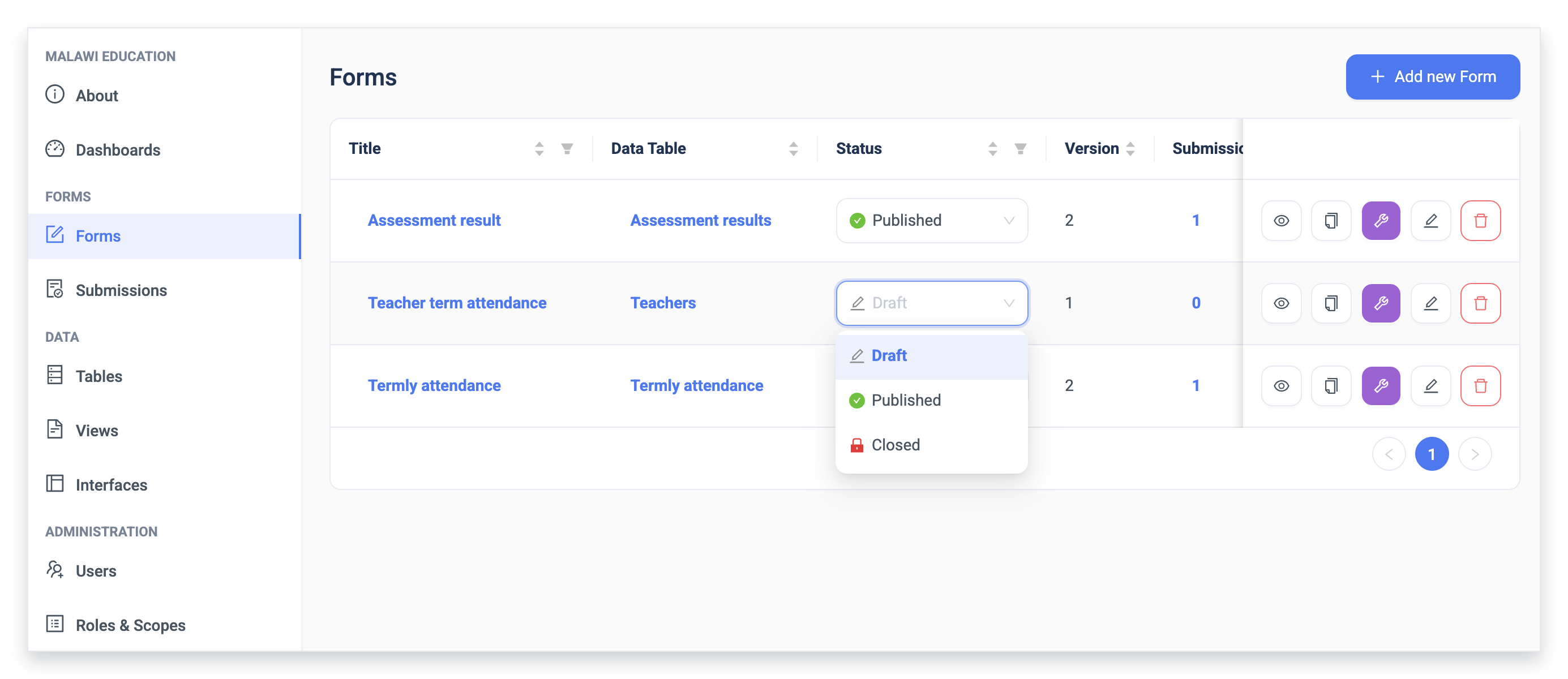
Form status: draft, published and closed
You can now control whether a form can be used in the 3D mobile app by setting it to draft, published or closed. Draft keeps a form hidden while it is being built and tested. Published makes it available to download and use. Closed stops new records being started with it, so it can't be used after a collection period ends or once a newer form has replaced it. Records already started can still be submitted, so anyone working offline can finish and send what they have. The web interface does not apply these settings yet, so a draft or closed form can still be used there.
Fingerprint and face sign-in on the mobile app
Field staff can now sign in to the 3D mobile app with a fingerprint or face scan instead of typing a password each time. The app can also remember more than one account and switch between them.
August 2026
Cascading selects within forms
You can now link dropdowns so that the answer to one filters the options in the next. Pick a country and the region list shows only that country's regions; pick a region and the district list narrows again. Options come from records already in the project, so new ones appear as data is collected. You don't have to maintain a fixed list of choices.
About pages for projects
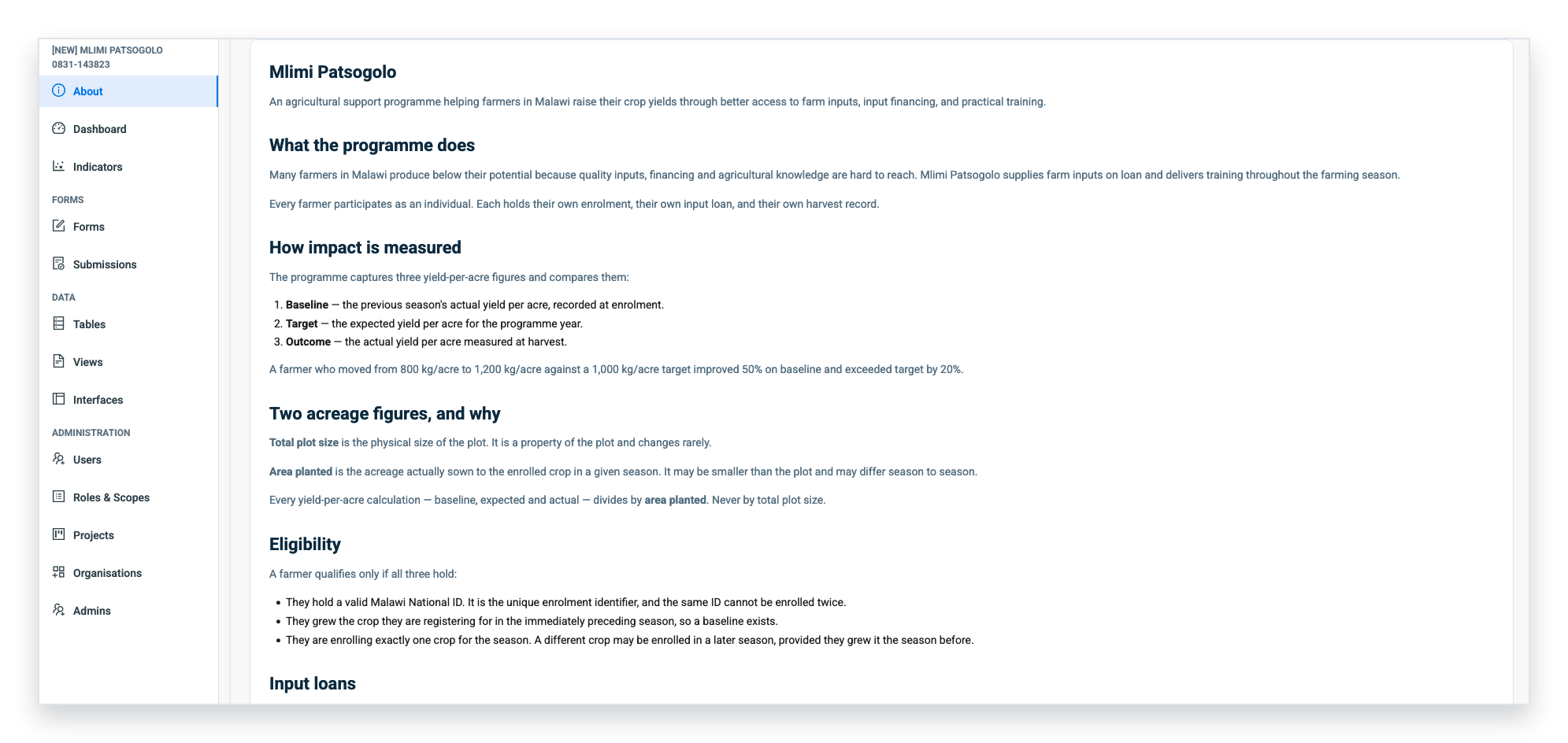
Every 3D project now has an About page: an editable page showing key project information. Use it for the project description, purpose, partners, contacts, deadlines and links to documents held elsewhere — anything someone needs to know before working with the data.
The page is written in a document-style editor, with formatting, images and coloured callouts. The page keeps a history of every update, along with who changed it and when, and any earlier version can be restored in one click.
New projects open with a ready-made outline to replace with your own content, in English, Spanish or French depending on the reader's language.
The page also appears in the 3D mobile app. It's the first screen you land on when you open a project, and it's downloaded to the device, so it can be read in the field with no signal.
Projects created before About pages were introduced start with an empty About entry and a Create button, which opens the same outline
July 2026
Offline data collection on the mobile app
Forms, and the lists they depend on such as farmers, schools and villages, download to the phone, so field staff can collect data with no signal. Completed forms wait on the device and send when a connection returns. Teams can choose to sync over wifi only, to save mobile data.
Wider translation coverage
You can now translate more of the text in forms, including section headings, explanatory text, image captions and the labels on each level of a cascading select, so field staff see it in their own language. One form can serve a team that speaks several languages, with fewer misunderstood questions resulting in better data. The app has also changed: sync messages now appear in the user's own language, and the interface runs in English, French, Spanish and Nepali.